
❋
Meeting Places
Where customers meet advisory in mobile bankingToday, mobile banking is for everyone. Banking at your fingertips, anytime and anywhere.
But somewhere along the way, we lost much of the human touch. And for Handelsbanken customers, that's a big deal.
These are customers who value personal attention. They appreciate being remembered, feeling cared for, and receiving a call from their advisor just to know someone is looking out for them.
❋ Visual languageCreates a cohesive and recognizable identity across the products. It translates brand values, enhancing usability, accessibility, and user trust.
❋ Consistency mattersCreates a seamless and predictable user experience, helping users navigate digital products with confidence and ease
Briefing
How can we free up branch teams from time-consuming, everyday tasks while keeping the banking experience personal, human, and just a phone call away?
Spoiler alert: We can't do magic.
But we can do better. Our goal was to bring the best of Handelsbanken's personal customer care to the phone, making every interaction feel as human and thoughtful as possible.
And we made one promise: No bots. Just humans.
Process
Problem definition
❋ Know tech constraints
❋ What do the branches have to say
❋ Business goals
❋ Communication channels definition
Ideation
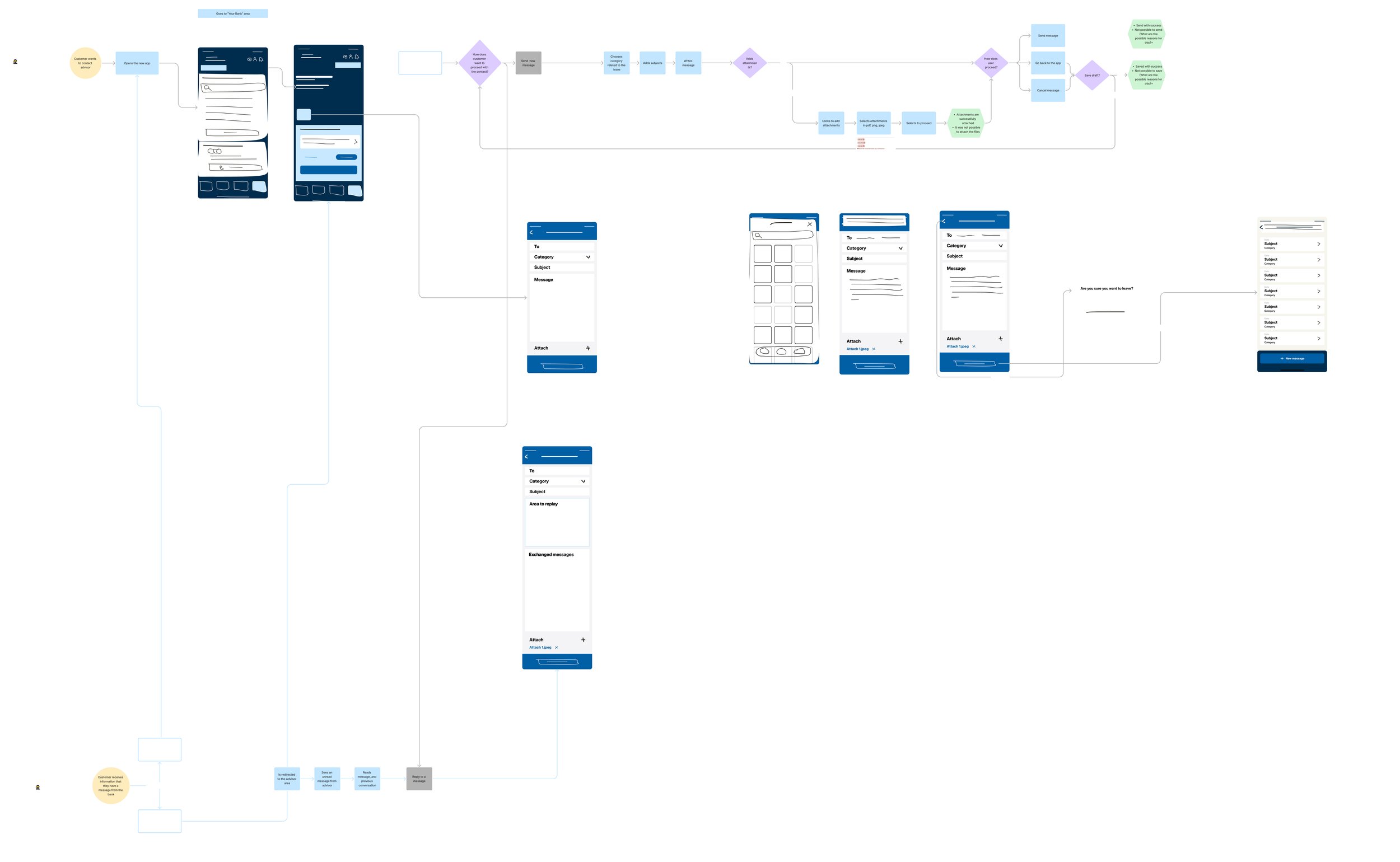
❋ Mapping the user journey for each communication channel and cross it with tech constraints;
Implementation
*❋ Rounds of validation and testing
The Problem
What
❋ E-dialog and Tietro Evry system used in the bank’s old app for messaging;
❋ Internal & external service for calls 24h/day;
❋ The bank wants to change the messaging system but has no time frame for that in the next 2 years;
❋ Branches struggle with the messaging system today;
❋ Online customers don’t necessarily always have contact with the same advisor;
❋ The bank wants users to prioritize FAQs, then messaging, and calling only for emergencies.
Communication channels
❋ FAQs;
❋ Messaging your advisor;
❋ Call the bank
Ideation
Mapping journeys & communication channels
Implementation
Meeting Places
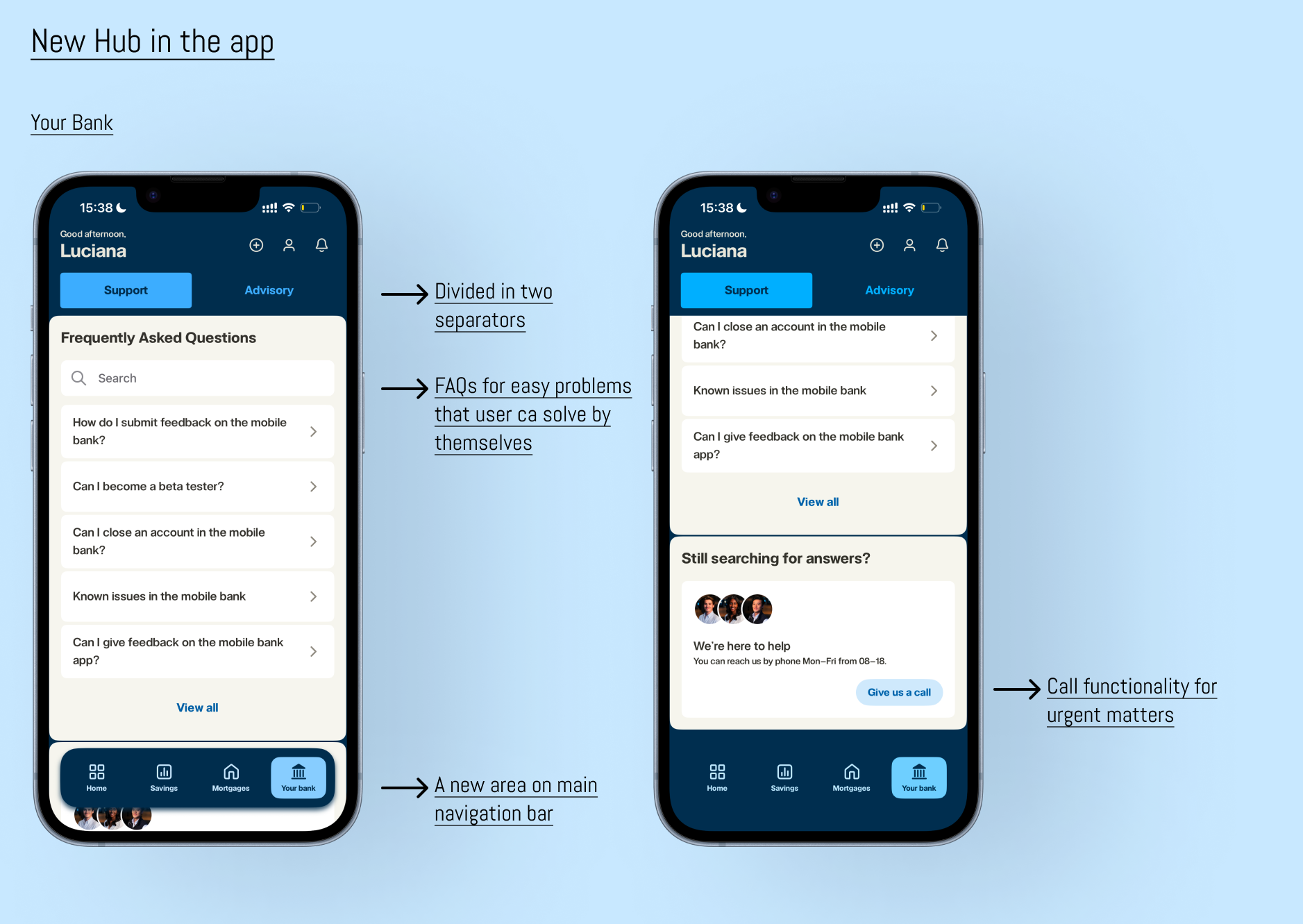
A new hub in the app where users can find several communication channels to contact the bank when problems arise.
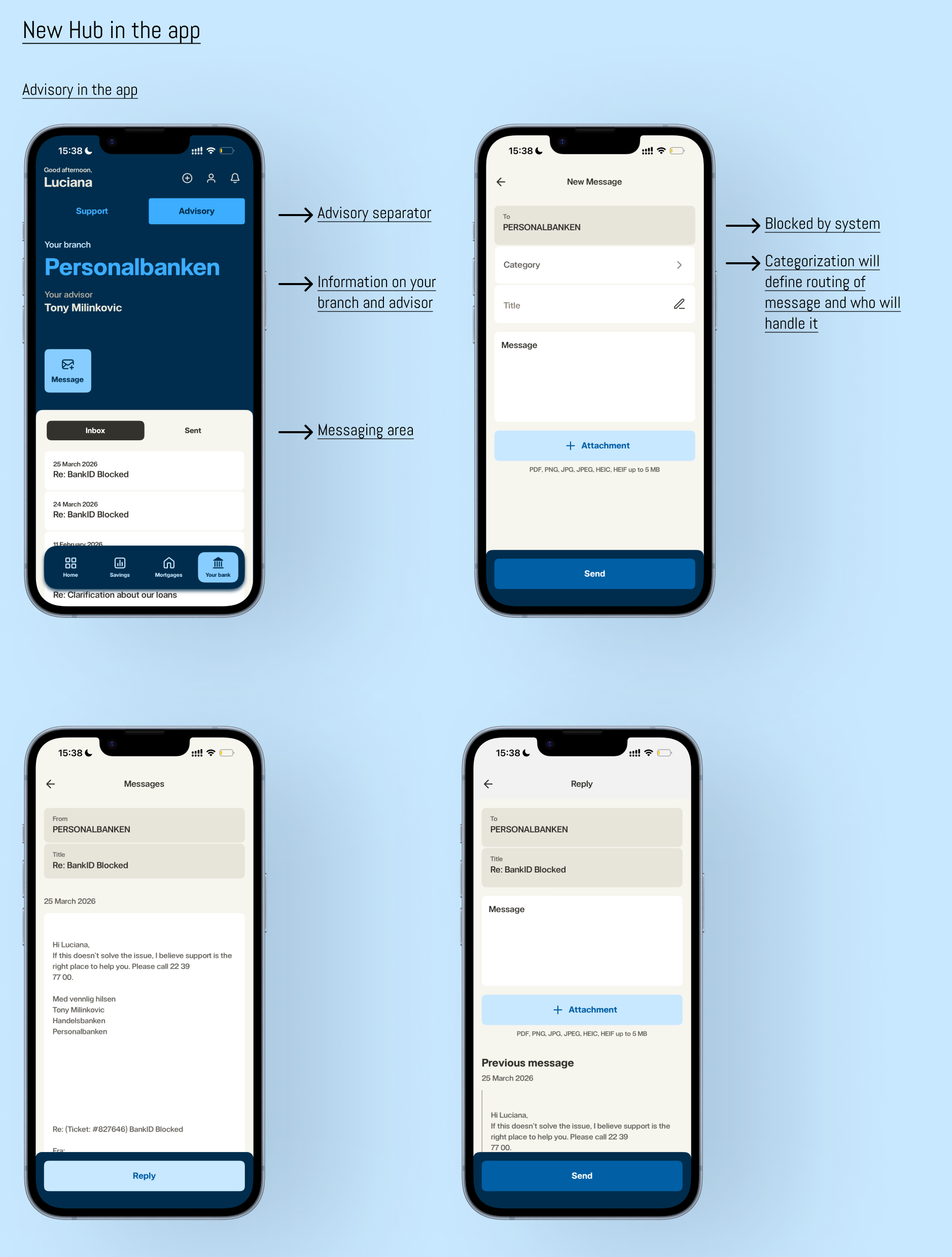
The nature of the problems is now categorised. This categorisation was mapped according to the system behind it, where it routes to (internal call center, external call center, advisors, E-dialog, Salesforce, etc.), and who solves the problem the user is looking into.
For better navigation, we divided the hub in two sections: Support and Advisory.
❋
Support
❋ FAQs
Users can navigate the FAQs using the search bar, by most frequently asked questions, or by category when they click “View all”. These categories are the same in every communication channel.
This is an entirely new feature in the bank’s digital channels.
❋ Secure messages
Based on E-Dialog, there was not much that could be improved on the technical side. There were some slight improvements in associating a title with the message, instead of associating only a category.
This system existed in the old app and has now been improved and added to the new app.
This feature was designed with the purpose of growing into other areas of contacting an advisor, like video calls.
Walk through
❋ Call us
In this 1st stage of this feature, the call routing is manual after the bank picks up the call. There is a strategy for a 2nd phase where this routing is done depending on where in the app the user is calling or after choosing a category, reducing the clutter in phone calls.